
Quick, precise access to the right document when decisions can't wait
OVERVIEW
Database app giving professionals fast access to legal archives in time-sensitive contexts such as hearings, court trips and client meetings.
Lawyers, notaries, magistrates and law firms with an active subscription, who need to retrieve relevant legal documents on the go.
THE BUSINESS PROBLEM
The existing platform was desktop-only, meaning 0% mobile access for subscribed users.
Outside the office, searching the database was impossible.
CHALLENGE
The initial brief was to extend the desktop SaaS to mobile, but I investigated how legal professionals actually use databases outside the office and found that a full mobile replica would not address the primary need.
The question shifted from:
How do we bring the desktop product to mobile?
to:
What is the smallest mobile experience that solves their most important Job To Be Done?
This led to a deliberate pivot: an app focused on searching and consulting relevant legal documents.
SOLUTION
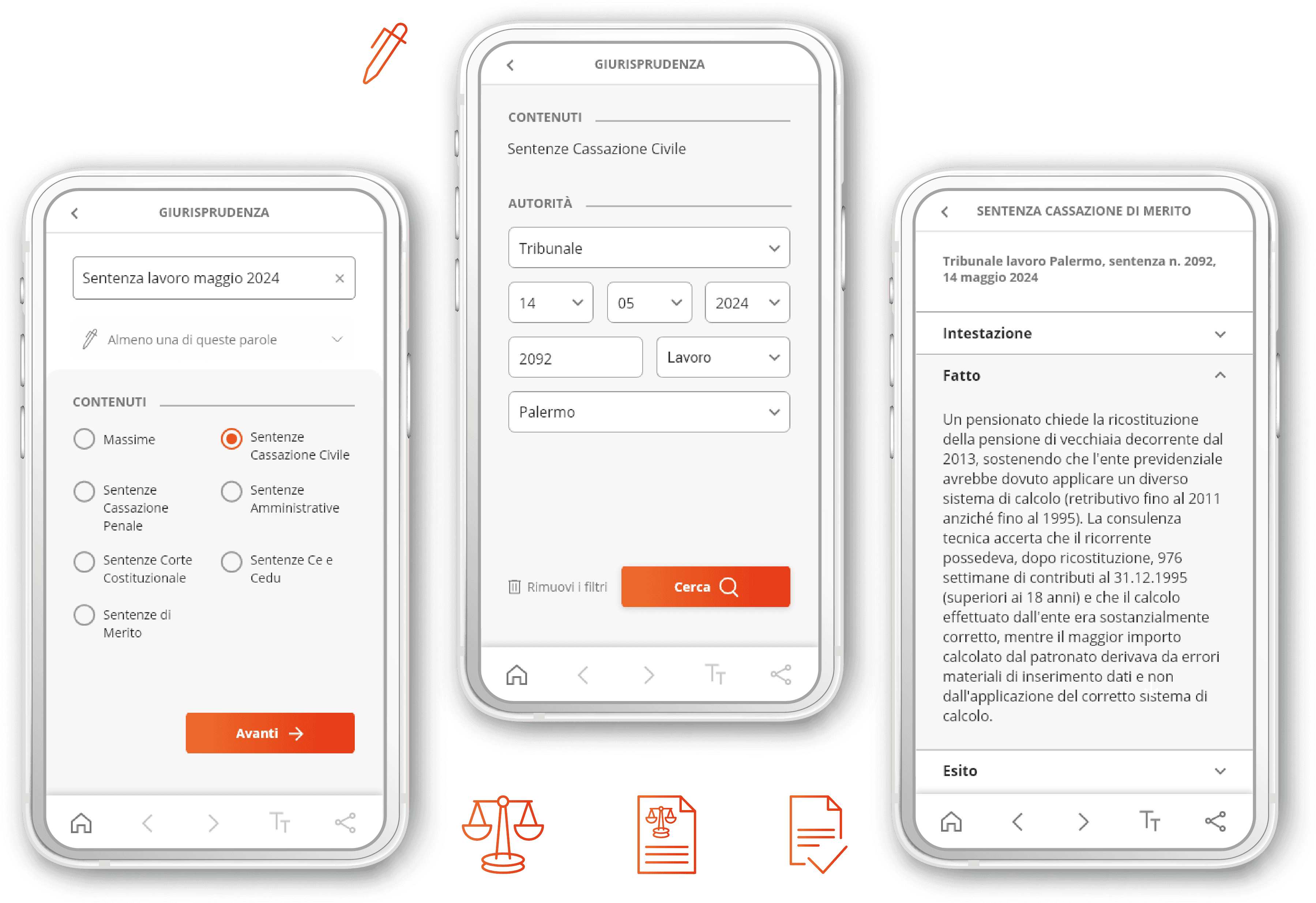
A single-purpose mobile app for authenticated users, focused on searching and consulting legal archives.
Workflow: Search with filter → Read → Share.
Built on real use cases
Behaviour identified through research: legal professionals need to retrieve information while actively working on a case.
Three archives
Case law: search for precedents.
Legislation: find regulatory references.
Templates: compile annotated templates.
Contextual filtering
The design process
COMPETITIVE ANALYSIS
Strong filtering capability, but limited queries and no mobile experience
After a heuristic review of the existing SaaS, I analyzed 3 major competitors, generalist legal databases that work like text search engines, to map how they help users define the search perimeter.
Method: Feature Inventory
Archive categories and document types
Simple and advanced search
Filters logic
Document features


Compared with competitors, the existing product offers:
More selection criteria and dynamic filters.
Lack of mobile experience.
USER RESEARCH
The right precedent, fast, wherever they are
Research wasn't part of the brief.
To avoid designing for an audience I could misunderstand, I conducted independent research with 20 lawyers, reached through contacts and industry networks.
Participants included both subscribers of the client's platform and users of competitor products.
Mixed methods
Questionnaire + Interviews.
What I discovered
100%
Consult Case Law as the primary archive when searching for similar cases.
I need concrete precedents similar to the case I'm working on
84%
Needs to find relevant documents quickly.
67%
Access legal information while actively working on a case.
In court or outside the office I need to run targeted, fast searches
PERSONAS & USER JOURNEYS
Two profiles and use scenarios emerged from the research.
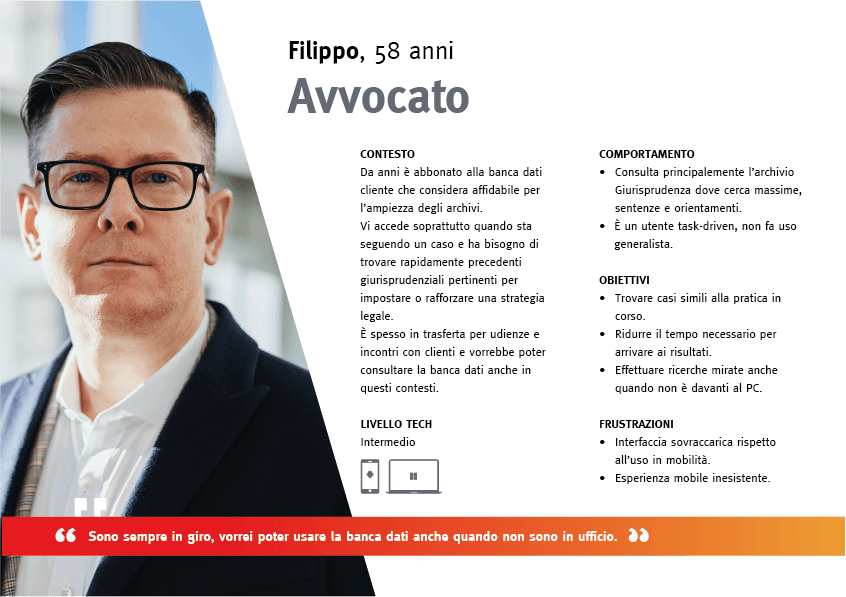
I'm always on the move, I wish I could use the database even when I'm not in the office.
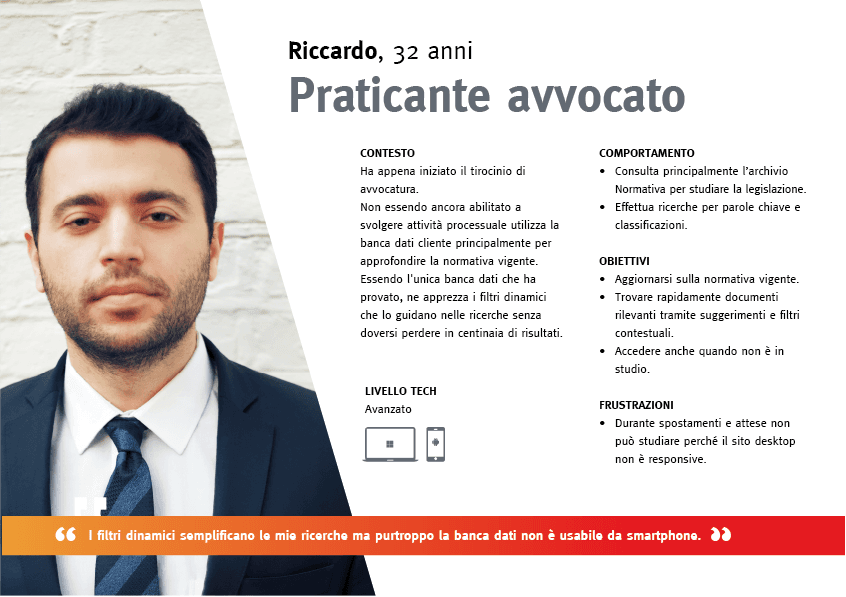
The dynamic filters make my searches easier, but the database isn't accessible from a smartphone.
USER FLOWS
One builds a strategy, the other checks the ground rules
Filippo, Senior Attorney
Preparing a defense strategy, he searches case law for similar precedents to support his legal interpretation.
Riccardo, Junior Associate
Assigned a case file, he searches Legislation to identify the applicable regulatory framework.

KEY DESIGN DECISION
The mobile product didn't need to replicate the desktop ecosystem
So the core design decision was to redefine the scope rather than reproduce features.
I designed around one clear flow:
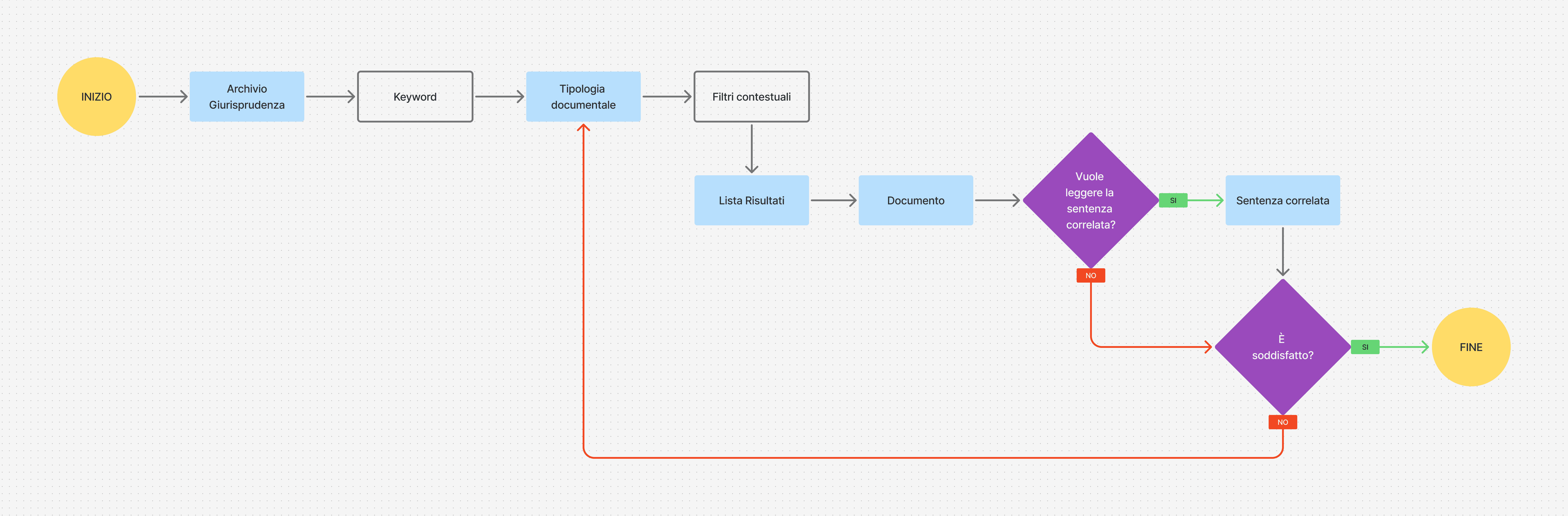
Find the right document. Refine the search. Read it. Share it.
INFORMATION ARCHITECTURE
The hierarchy is designed for an easy consultation across three archives:
• Case Law > Maxims and Sentences
• Legislation > Laws, Codes and Practices
• Forms > Annotated templates
The navigation follows a simple progression:
Archive → Search with filters → Results → Document.

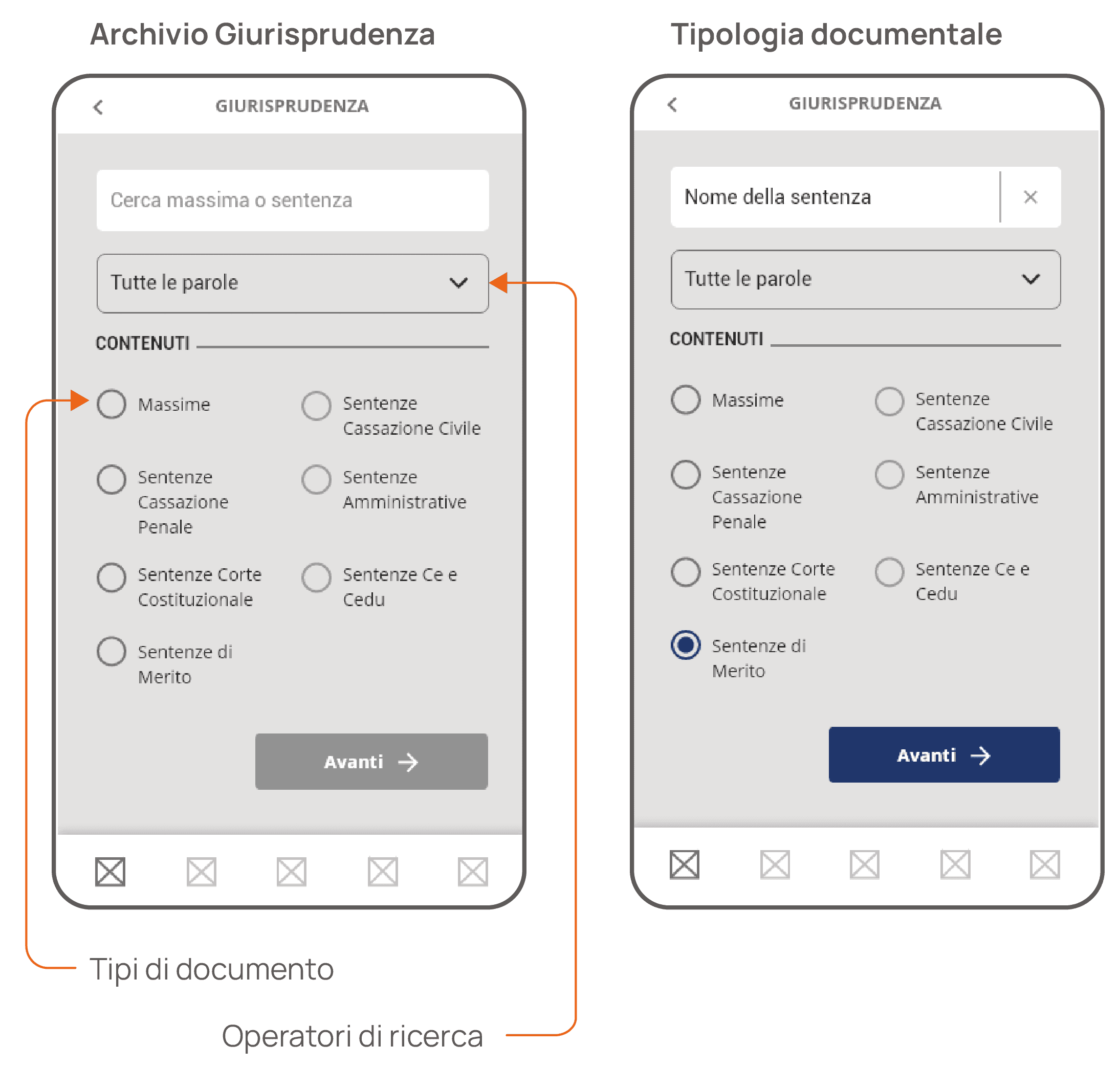
WIREFRAMES
Essential actions only when needed
Primary controls were moved into a contextual app bar.
This preserved reading space while keeping essential actions available when relevant.
Actions activate when a document is open:
Arrows (←→) navigate between documents or articles.
Text size (Tᴛ) three sizes without changing system settings.
Share the current document.



UI KIT
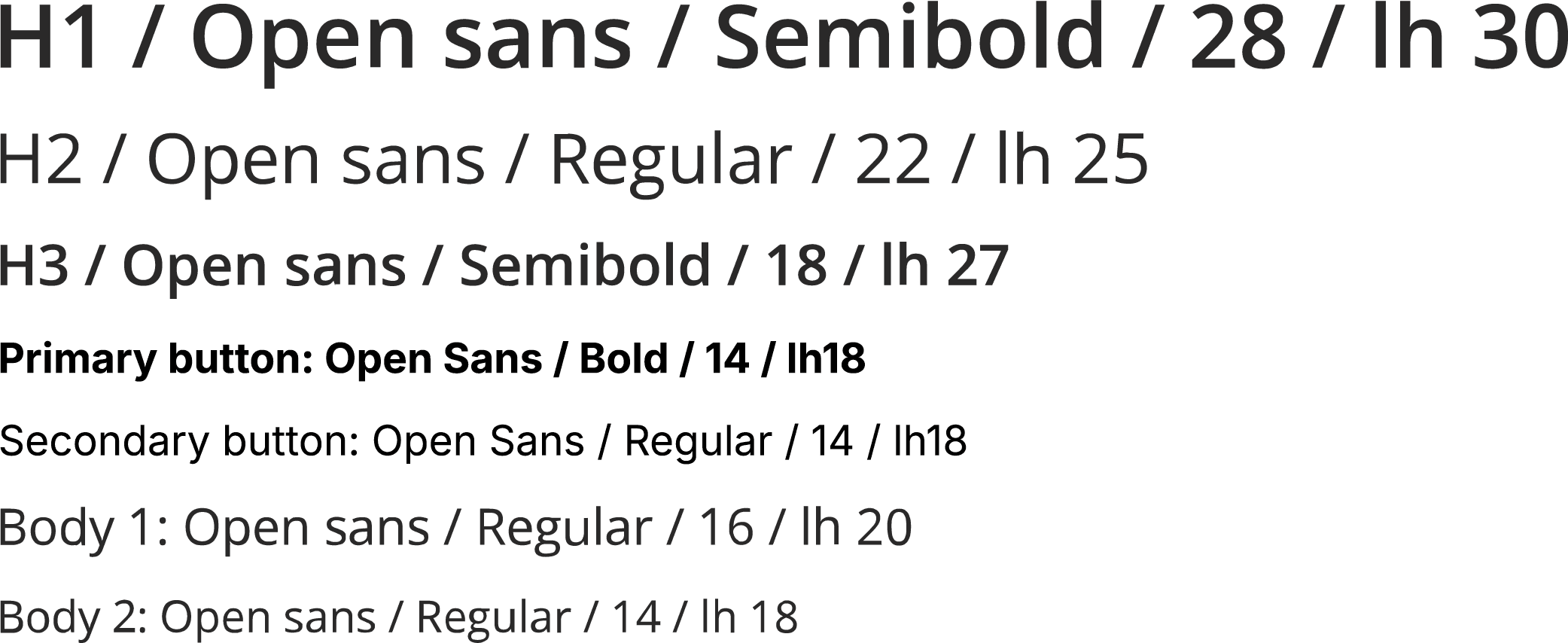
The app retains the typography and colour palette of the desktop SaaS to preserve brand consistency across devices.

RELEASES
From core experience to refined controls
Release 1
App experience: search, filter and consult documents across the three archives.
Release 2
Refinement of document-level controls through the contextual bar.